
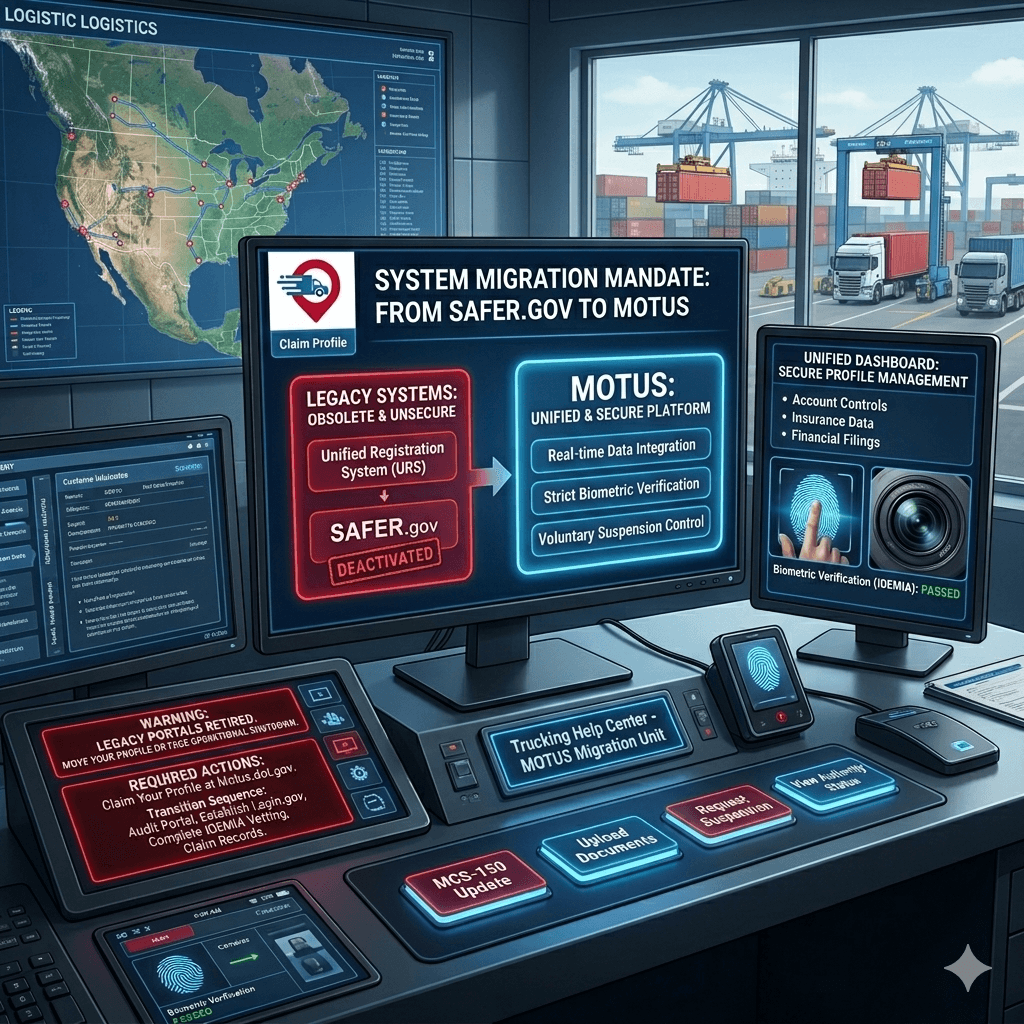
SAFER.gov is Dead. Motus is Here: Move Your FMCSA Profile or Get Grounded
The Federal Motor Carrier Safety Administration is completely wiping out its obsolete, patchwork IT systems. The clunky legacy portals you have fought with for decades are being permanently retired.
The replacement is Motus—the FMCSA's new, non-negotiable digital registration platform.
This is not a cosmetic website refresh. Motus is a scorched-earth replacement for the Unified Registration System (URS), the Licensing and Insurance (L&I) system, and the public-facing SAFER.gov company lookup page. If you run interstate freight, understanding what is the FMCSA and executing this system upgrade immediately is the difference between staying profitable and getting forced off the road.
Why the FMCSA Killed SAFER.gov
The old legacy systems operated on disconnected, decades-old databases. This fragmentation created massive security holes that identity thieves, double-brokering rings, and fraudulent "chameleon carriers" exploited daily to hijack active authorities.
Motus slams these security loopholes shut with mandatory biometric identity verification and real-time data integration. It fundamentally changes how you protect your business asset and prove your active status.
Legacy vs. Motus System Comparison
| Operational Feature | Legacy Framework (SAFER / URS) | The New Motus System |
|---|---|---|
| Identity Security | Weak verification; high risk of identity theft and fraud. | Mandatory multi-factor vetting via Login.gov and IDEMIA. |
| System Integration | Disconnected databases with delayed enforcement visibility. | Unified, real-time dashboard linking all filings and records. |
| Updates & Renewals | Fragmented MCS-150 biennial update processes. | Handled directly from the core carrier account dashboard. |
| Authority Flexibility | Rigid manual paperwork to change authority status. | Built-in features like "Voluntary Suspension" up to 1 year. |
Core Features Built for Real-Time Operations
Motus strips away the bureaucratic tape to centralize everything required to manage your active operating authority under a single, hardened dashboard.
- Unified Account Control: Carriers, brokers, and freight forwarders control all authority types, insurance data, and financial filings from one single login.
- Voluntary Suspension: Seasonal operators or fleets temporarily leasing equipment onto other carriers can voluntarily suspend their operating authority directly inside Motus for up to 12 months, allowing for instant reinstatement.
- Direct Document Uploads: Paper and fax submissions are officially dead. All compliance document uploads are processed and approved directly through the secure platform.
- Unique Lifecycle Tracking: Moving forward, Motus applies a distinct history and suffix for new registrations, making it significantly easier to track an individual asset's operational history over time.
The Mandatory Migration: How to Claim Your Profile
Your legacy business records will not automatically populate into a usable Motus account. To prevent a forced suspension or operational lockout, you must execute this transition sequence exactly as mandated by the agency.
-
Audit Your Current FMCSA Portal: Step 1: Data Matching. Log into your legacy FMCSA Portal account. Verify that your classification, legal business name, and physical address are entirely accurate. The email address listed for your Company Official must perfectly match the email you intend to use for your secure Motus login.
-
Establish a Login.gov Profile: Step 2: Access Infrastructure. Create a secure Login.gov account using the exact email address tied to your FMCSA Portal profile. Set up mandatory multi-factor authentication (MFA) using either a physical phone or an authentication application.
-
Complete IDEMIA Identity Verification: Step 3: Fraud Prevention Vetting. Pass the mandatory biometric identity check powered by IDEMIA. You must provide a valid government-issued photo ID (driver's license or passport), submit your Social Security Number, and utilize a smartphone or webcam camera to pass the live facial scanning verification.
-
Log into Motus and Claim Your Records: Step 4: Final Integration. Navigate to the official
platform using your verified Login.gov credentials. Follow the automated onboarding prompts to locate and securely claim your company history.motus.dot.gov
Critical Operational Fact: Your existing USDOT number and active MC number remain completely unchanged. Motus modifies how you access and protect your regulatory profile; it does not issue entirely new corporate identifiers to established fleets.
With paper-based processing permanently eliminated, keeping a completely digital, verified status inside Motus is the only mechanism available to protect your corporate identity and keep your trucks moving.
Stop Fighting Bureaucrats. Let Us Handle the Back Office While You Run the Road.
Navigating federal system migrations, staying compliant with shifting digital regulations, and fighting for top-dollar freight is exhausting. You shouldn't have to fight bureaucrats and cheap brokers at the same time.
At Trucking Help Center, we protect your business authority and maximize your daily revenue:
- Complete Motus & Compliance Support: Don't get locked out of your authority due to a technical glitch. We handle the heavy lifting, system migrations, updates, and profile protections directly.
- Elite Dispatch Services: Stop wasting hours on low-ball public broker boards. Our dedicated dispatch team negotiates directly with top shippers and premium brokers to secure high-paying, consistent loads tailored exactly to your equipment.
Get the aggressive, back-office execution your trucking company deserves. Contact us directly to secure your profile or scale your fleet's profitability today.
- Phone: 469 9425988
- Email: Contact@truckinghelpcenter.com
- Website: https://truckinghelpcenter.com/